
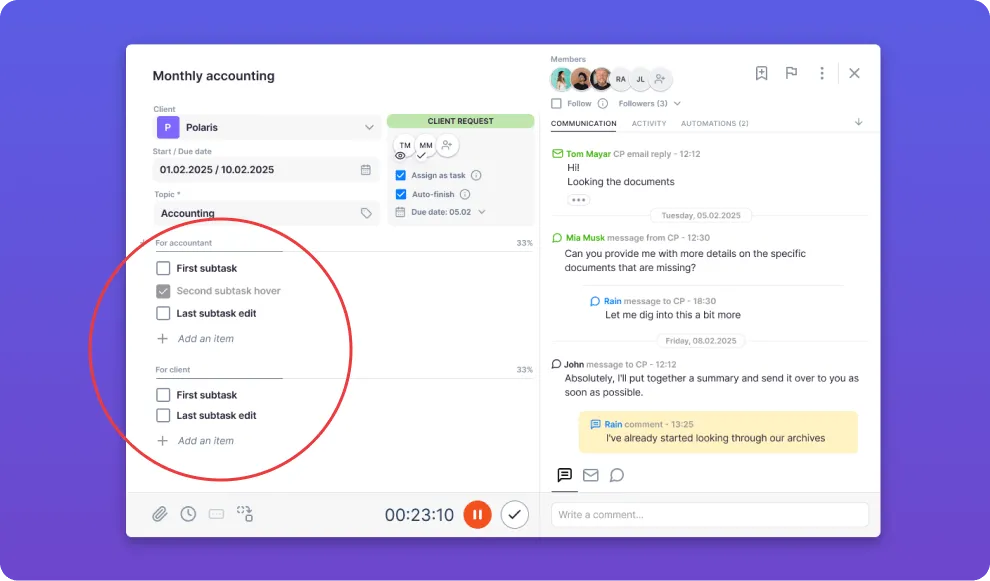
1. Tasks: multiple checklists per task
Section titled “1. Tasks: multiple checklists per task”Create several checklists for one task. For example, divide the checklists by members, or define which items belong to the accountant and which to the client when the task is shared with the Client Portal.
2. Tasks: bulk delete dashboard tasks
Section titled “2. Tasks: bulk delete dashboard tasks”When there are a lot of old tasks on the dashboard that had multiple assignees, tasks can now be destroyed in bulk — no need to delete them one by one.
3. Emails: resend all failed emails at once
Section titled “3. Emails: resend all failed emails at once”Resend all failed emails at once from one place.
4. Emails: notification when sending fails
Section titled “4. Emails: notification when sending fails”To ensure that all emails go out when needed, Uku now notifies you by email when sending emails from your address is failing.
5. Integration: Dropbox
Section titled “5. Integration: Dropbox”Connect your Dropbox account and store all task files there.

Improvements
Section titled “Improvements”Workforce
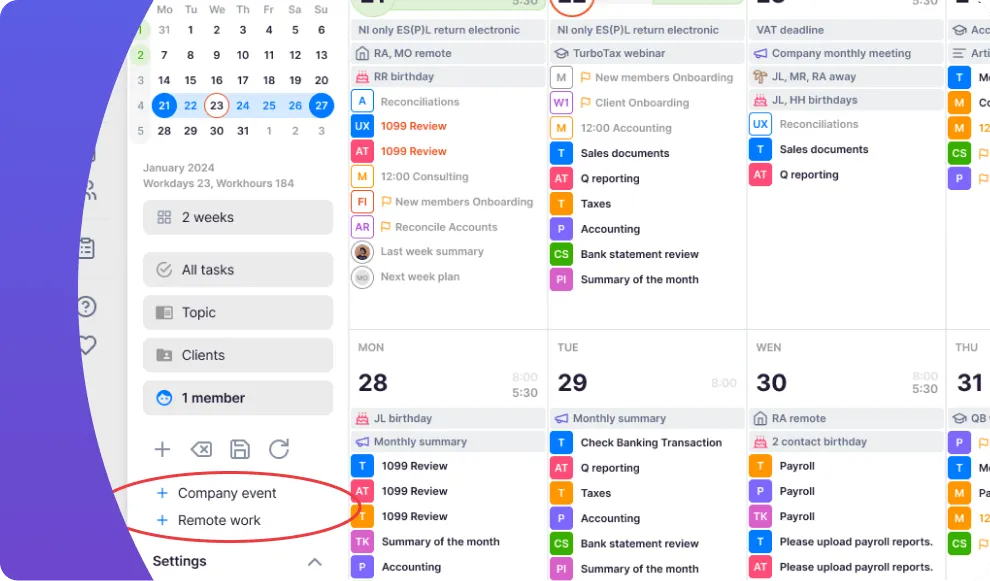
Section titled “Workforce”- Remote work from calendar — enter remote work time directly from the calendar view and get an overview of who is working remotely.
Clients
Section titled “Clients”- “Next month” quick filter — a new quick filter on the client card shows next month’s tasks without needing to pick dates from the calendar.
Emails
Section titled “Emails”- Task link on client communication emails — an email under client communication now indicates which task the email belongs to.
Integrations
Section titled “Integrations”- e-conomic invoice comments — a comment added to an invoice in Uku is now also exported to the invoice in e-conomic.